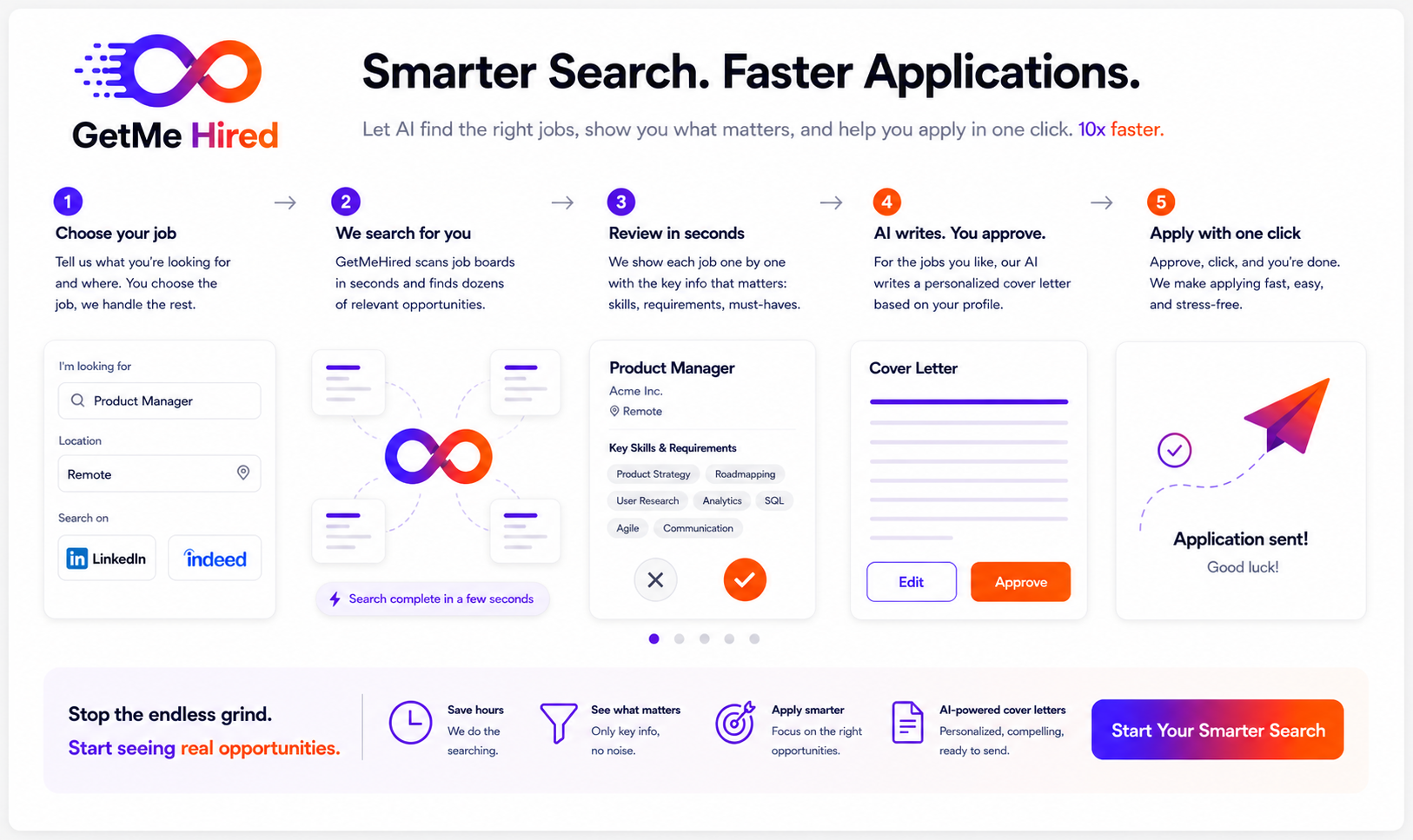
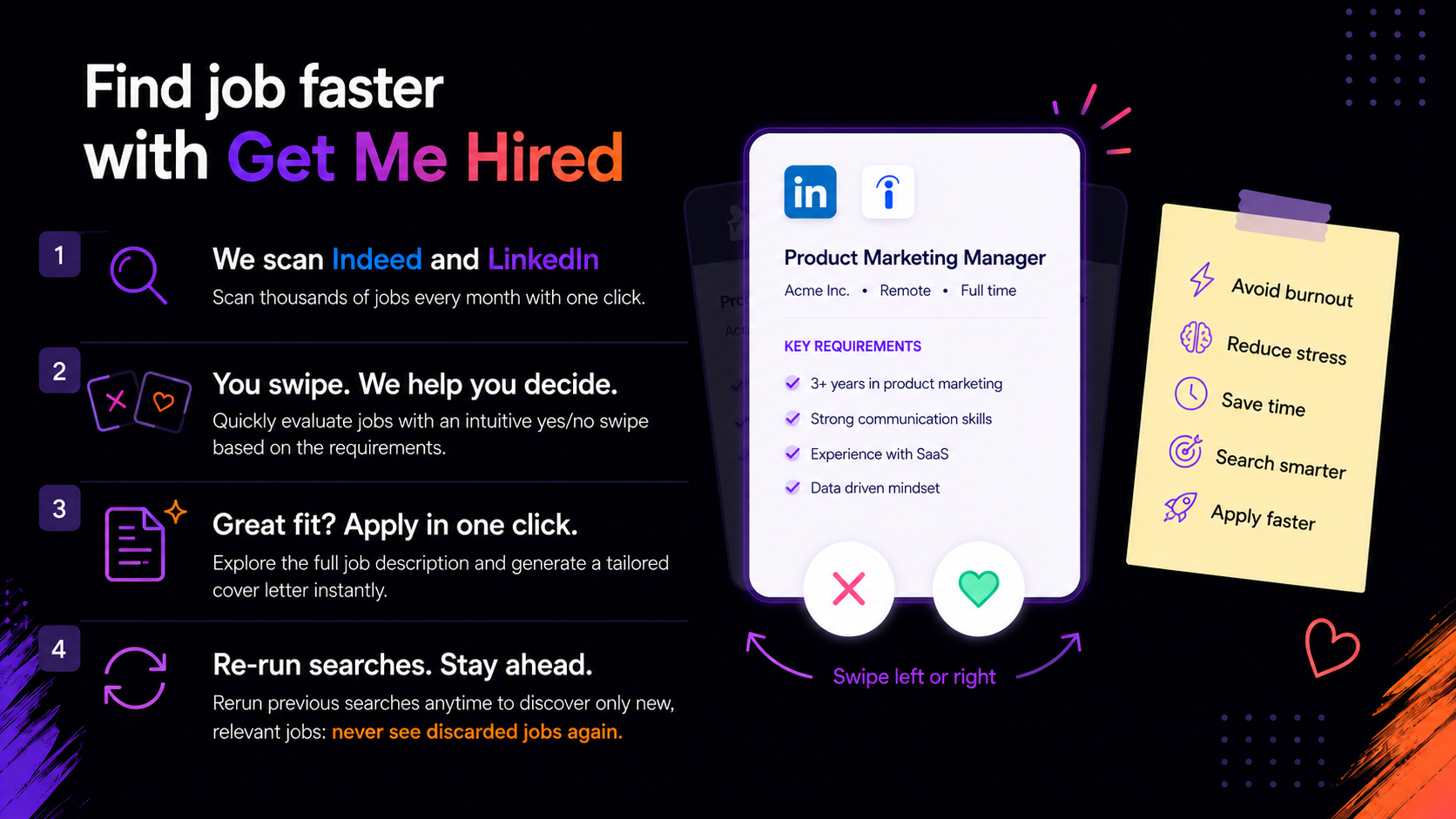
Run LinkedIn or Indeed searches and let GetMe Hired collect the roles, descriptions and key details for you.
No jobs waiting.
Tired of endless job search?
Let AI find the right jobs, show what matters, and help you apply faster.
Let AI handle repetitive jobscrolling, duplicates and first-pass screening, so you protect your energy, reduce burnout and focus only on the opportunities that matter.
Run LinkedIn or Indeed searches and let GetMe Hired collect the roles, descriptions and key details for you.
See requirements, preview and signals in one place, then decide Yes or No without endless scrolling.
Create a tailored cover letter in one click using your saved CV, the job description and your writing style.
Repeat yesterday's search with one click. Duplicates and rejected jobs stay out of your way.
Search hundreds of jobs with one click, review only the relevant information, save the best opportunities and write tailored cover letters from one focused workspace.
Collect jobs quickly from supported job boards and keep the search moving.
Review each job one by one with requirements and filters visible at a glance.
Use About You, Cover Style, saved job descriptions and follow-up AI chat.
per month
per month, billed quarterly
Last updated: 11 May 2026
GetMe Hired helps users search, import, review and organize job opportunities from supported job boards. This policy explains what data we collect, how we use it, how the Chrome extension works and how to contact us about privacy requests.
When you sign in with Google, we may collect your name, email address, avatar and Google account identifier so we can create and protect your account.
When you use the app, we may store job search and job review data such as keywords, location, filters, source, scanned job counts, imported job counts, timing statistics, saved search history, job title, company, location, job link, full description, extracted requirements, review status and applied status.
When you use AI features, we may store usage data such as the type of AI request, token counts, estimated cost, result status and error details. This helps us show usage, control costs, troubleshoot failures and improve the product.
We use this information to provide the app, keep each user's jobs separate, run searches, import job listings, review opportunities, generate draft cover letters, extract job requirements, show account and admin dashboards, debug errors, prevent abuse, improve the product and maintain security.
We do not sell personal data. We do not use personal data for unrelated advertising. We do not transfer personal data except as needed to operate GetMe Hired, use configured service providers or comply with legal obligations.
The GetMe Hired Chrome Extension connects Indeed pages opened in your own Chrome browser session with your GetMe Hired account. It reads visible job listing and job detail content only for the purpose of importing jobs into GetMe Hired.
The extension may send job titles, companies, locations, job links, snippets, full job descriptions when available and import status to GetMe Hired. The extension does not collect or store your Indeed password, raw browser cookies, payment information, unrelated browsing history or personal communications.
If Indeed asks you to sign in or complete a human verification check, the extension may bring the Indeed tab to the front and wait for you. It does not bypass login pages, access controls or human verification checks.
The extension uses browser permissions only to provide the import feature. It uses tab access to open, focus and monitor Indeed tabs during a user-started import. It uses scripting access to read visible job listings and descriptions from supported Indeed pages. It uses host permissions for supported Indeed domains and GetMe Hired domains so it can read job pages and send imported data to your account.
When you use AI features, relevant job descriptions, extracted requirements, cover letter prompts and your selected About You and Cover Style text may be sent to the AI provider configured in the app, such as OpenAI or Google AI. AI providers process this data to return the requested AI output. You should review the selected provider's terms before using production or sensitive data.
If email features are configured, GetMe Hired may send selected content, such as Instagram post text and attached images, through the configured SMTP provider.
We use reasonable technical and organizational measures to protect account data. No internet service can be guaranteed to be completely secure, but we work to limit access, keep user accounts separate and monitor operational issues.
Data is retained while your account is active or while the private beta is running, unless you request deletion or use available reset/delete account controls. Some operational backups or server logs may remain for a limited period where needed for security and maintenance.
You can reset saved jobs, memory and account statistics from the app where available. You can also request access, correction or deletion by contacting us.
For privacy requests, contact paolo.ferri101@gmail.com.
Last updated: 06 May 2026
By using GetMe Hired, you agree to use the product responsibly and only for lawful job search activities.
GetMe Hired provides tools to collect job information, review opportunities, track application decisions, manage saved jobs and generate draft cover letters using configured AI providers. The Chrome extension can import job listings from Indeed using your own Chrome browser session.
You are responsible for your searches, application decisions, communications with employers and use of third-party websites. You must review all generated content before sending it. AI output may be inaccurate, incomplete or unsuitable for a specific application.
GetMe Hired does not guarantee interviews, job offers, response rates or hiring outcomes.
The app may interact with Google login, Indeed, LinkedIn, AI providers such as OpenAI or Google AI, SMTP email providers and hosting infrastructure. Their availability, limits and terms are outside our control.
You are responsible for complying with the terms of LinkedIn, Indeed, Google, AI providers and any other third-party service you use with GetMe Hired. The extension does not bypass login systems, access controls or human verification checks.
You must use search, import and automation features reasonably and only for your own job search or authorized recruiting workflow. Excessive scraping, unauthorized data collection or attempts to avoid third-party limits are not allowed.
During private beta or early access, the product may be provided free of charge. Features, limits, availability and pricing may change. Future paid plans may be introduced with separate pricing terms.
The service is provided as-is during development and beta testing. It may contain errors, downtime, incomplete data, third-party failures or AI inaccuracies. To the maximum extent permitted by law, GetMe Hired is not liable for decisions, losses or consequences arising from use of the service.
Send a message about access, feedback, bugs or early beta interest.
No jobs waiting.
Main app components and responsibilities.
Accounts, usage and early access monitoring.
Only approved Google emails can sign in. Paolo remains super admin.
People who signed in with Google.
Latest collection sessions and imported job counts.
AI calls from cover letters, chat and internal requirements guessing.
Contratto operativo per mostrare solo requirements verificabili nella Jobs card.
Requirements not found in a clear section.
Paid requirements calls that did not produce a useful card section.
Suggested headings from users, ready to copy into the central requirements engine.
Access requests, feedback and early beta messages.

Upload, reorder and publish the posts shown on the home page.
Bulk upload images, then move them into the exact order you want.
Set up keywords, About You, Cover Style and review flow so the app shows the right information fast.
These are the keywords that may exclude you from an application and may appear in your niche. Go to Filters on the home page to edit them.
Flag highlights jobs that contain those exact words anywhere in the job text, so you can review them faster. Exclude moves matching jobs directly to No.
When in doubt, start with Flag, test the results, then switch to Exclude only after you know the keyword is reliably not relevant.
The AI scans each job description, matches the right requirements section, and shows it as the first thing in the Jobs card so you can decide fast.
This first section should contain all candidate information: CV, work experience, education, skills, goals, tone and personal positioning.
CANDIDATE INFORMATION

Name:
Current role / profile:
Professional summary:

Education:
-

Work experience:
-

Core skills:
-

Projects and tools:
-

Languages:
-

Career goal:
-
The second section should instruct the AI as a writer: tone, structure, phrases to avoid, length and final output rules.
AI WRITING INSTRUCTIONS

Your task is to write a cover letter for a job application using the information provided.

What you MUST do:
- Write in a natural, human tone.
- Keep it simple, direct and clean.
- Focus on how I create value for the company.
- Use real experience, not generic claims.
- Show thinking, not just a list of skills.
- Use a slightly confident tone, not arrogant and not weak.
- Make it sound like a builder, not a talker.

What you MUST avoid:
- Do not use generic corporate cliches.
- Do not use long sentences.
- Do not repeat the same concept.
- Do not include address, email, phone number or date.
- Do not add notes, analysis, markdown or bullet points in the final cover letter.

Structure:
- Start with value.
- Mention relevant experience shortly.
- Explain how I think and work.
- Add an AI or automation angle only if relevant.
- Close cleanly.

Final rule:
If it sounds like AI wrote it, rewrite it.
Start with Dear Hiring Manager or Dear [Company] team.
Choose the source, add the role and location, then start.
Review one job at a time. Requirements and filters guide the choice.
Remote
Open Cover Letter from a saved job. The chat starts with context ready.
Preview opens the saved job description in-app. Applied is a manual grey/green toggle.
Palo Alto, CA
Build and improve learning systems for robotics teams. Work with data, simulation and model evaluation to improve real-world performance.
Requirements
Experience with machine learning workflows, Python and cross-functional product teams. The full saved job description appears here without leaving the app.
Stats shows found, discarded, relevant and applied jobs. Reset Numbers clears stats only. Reset Memory removes saved jobs and seen memory.